
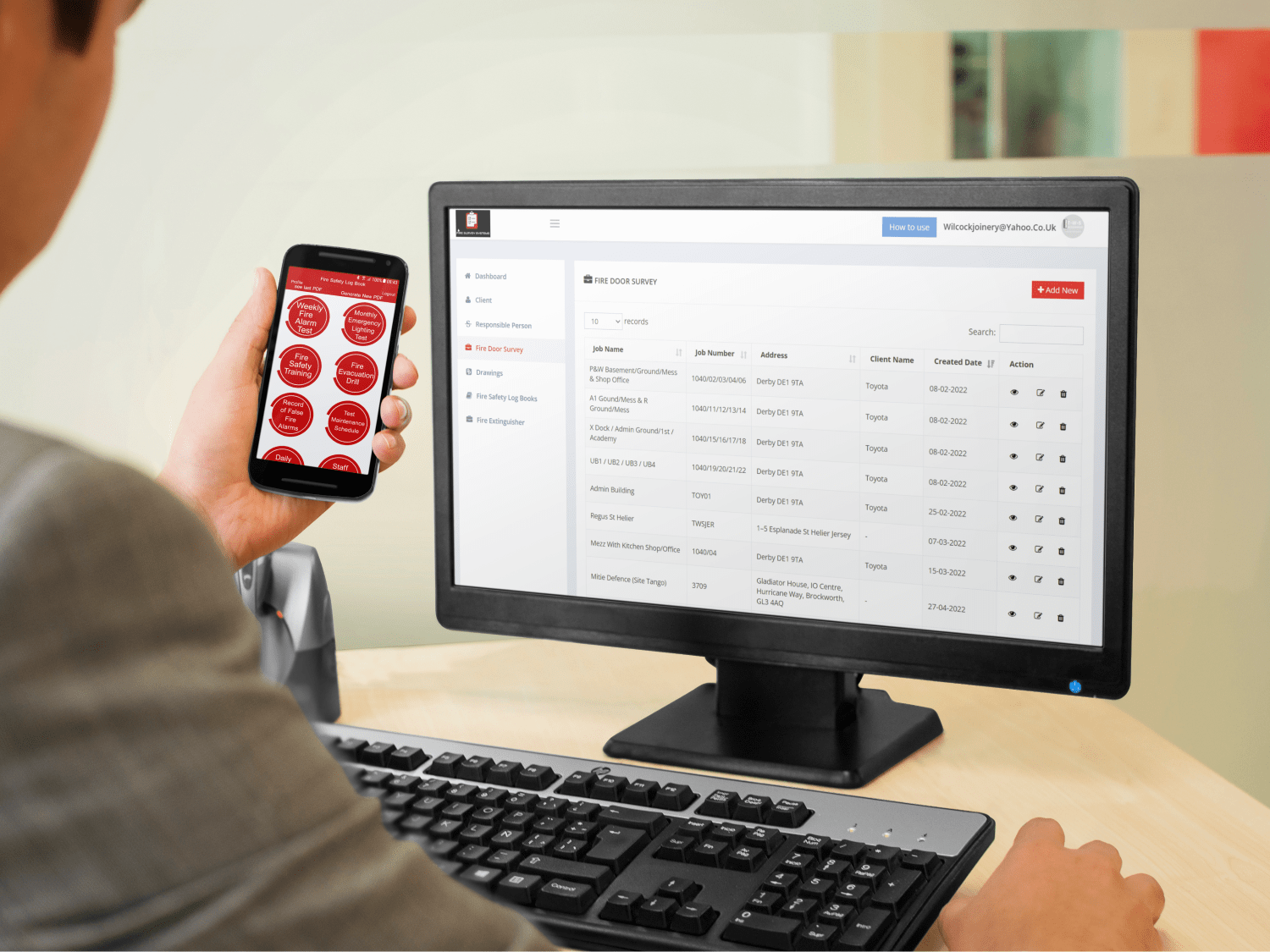
Fire Survey Systems combines mobile survey tools with office access to records. Digital Solutions developed the website and mobile app. The platform illustrates how field data collection and administration can form one workflow.
What does Fire Survey Systems record?
Its published functions include fire door surveys, alarm and extinguisher records, emergency lighting records, training information, evacuation drills and false alarm records. Photos and drawing annotations support the recorded information.
How does information reach the office?
Users collect information on a phone or tablet and save it to the cloud. Office users can then access the records, connecting site work with report handling.
Why include photographs and drawings?
A description becomes easier to interpret when it identifies the relevant item and location. Photos can show the condition being recorded, while annotations give context on a plan.
For a similar system, agree how records, locations and supporting files are linked. Staff should be able to locate the evidence for a specific entry without searching an unrelated folder of images.
How is a digital logbook different from a survey?
A survey records an assessment at a particular time. A logbook brings together ongoing records of activities, checks and events. They answer different questions, even when they relate to the same building.
A new software specification should define each record type, its owner and the information required. Consistent forms help teams collect comparable information; they do not remove the need for competent assessment.
What should you plan for a similar application?
Map the complete journey from creating a record to office review and sharing the output. Agree access permissions, correction procedures and retention requirements before deciding on screen layouts.
Digital Solutions can help plan a mobile reporting and administration system around your own operational process. The right starting point is a real report and a clear explanation of who uses it next.