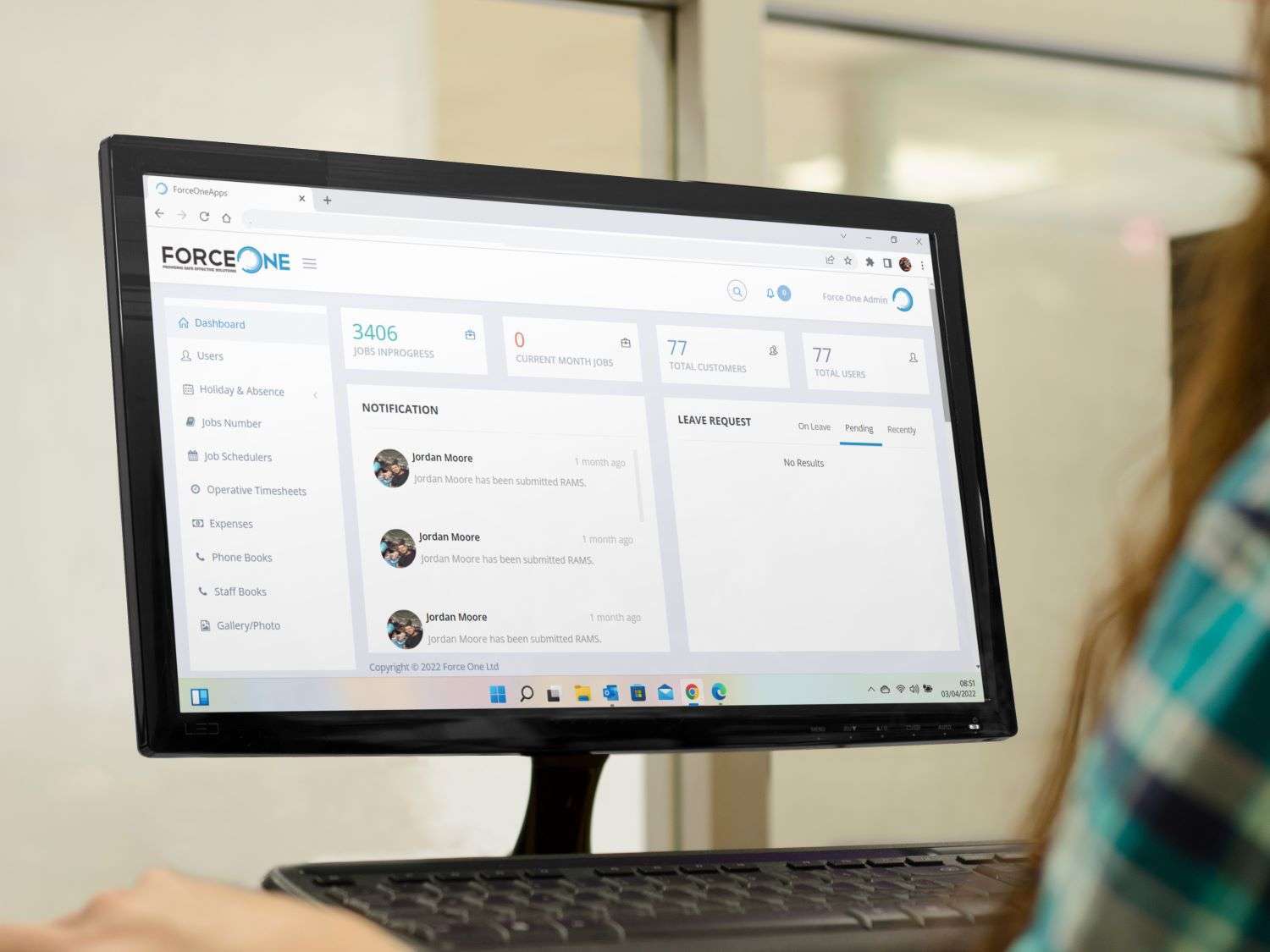
Force One is one of the largest independent suction excavation operators in Europe. Many of its internal processes used to run on paper. We designed and built a bespoke staff app and office management system that brings staff records, site information, scheduling and administration into one connected platform, so site teams and the office work from the same information.
The problem
As Force One grew, every new job and team brought more vehicle checks, site records, timesheets, expenses and holiday requests. On paper, that meant forms to collect, handwriting to read, information to type up and staff to chase. Growth was creating more office work.
What we built
Staff app for site teams
- Vehicle inspections and daily checks.
- Site audit forms.
- Timesheets and expenses.
- Holiday and absence requests.
- Company policies, toolbox talks and staff resources.
- Calendar and schedule.
Office system for managers and admin
- Scheduling of staff and jobs.
- Customer records and quotes.
- Reviewing timesheets, expenses and holiday requests.
- Staff phone book and records.
- Photo gallery from site.
- Health and safety, maintenance and accounts areas.
How it works
Site staff open the app, complete the form they need and submit it. The information arrives in the office system straight away, ready to review and approve. Managers see who is where, what has been submitted and what needs action, without waiting for paperwork or ringing round.
Why bespoke?
Force One’s site teams, vehicles and office all have specific needs. Rather than forcing the business into a generic product, the system was designed around how the company actually works, considering the site teams and the office together. Every form, approval and screen reflects a real task.
The results
- Paper processes replaced by one digital system.
- Information reaches the office as soon as it is submitted.
- Less chasing and re-typing for office staff.
- Policies and resources in every staff member’s pocket.
- A platform that can keep growing with the business.
Read the full Force One case study.
What this means for your business
If your business has people working across sites, vans or locations, and the office spends time chasing forms, the same approach can work for you. Start with the paperwork that causes the most chasing, such as timesheets or vehicle checks, and add more once the team is using the app.
Similar projects
SitePro is a construction site app covering quality checklists, progress reports, drawings and snagging. Terry’s Fire Survey System captures inspections on site, and clients sign off completed work and receive the invoice immediately.
Common questions
Can staff use their own phones?
Yes, with appropriate sign-in and the ability to remove access when someone leaves.
Can the system be added to over time?
Yes. Systems like this are designed to grow, with new forms and features added in phases.
How do we start?
Bring examples of your current forms and explain where information gets delayed or duplicated.
Next step
If paperwork is growing as fast as your business, book a free 15-minute software review.