
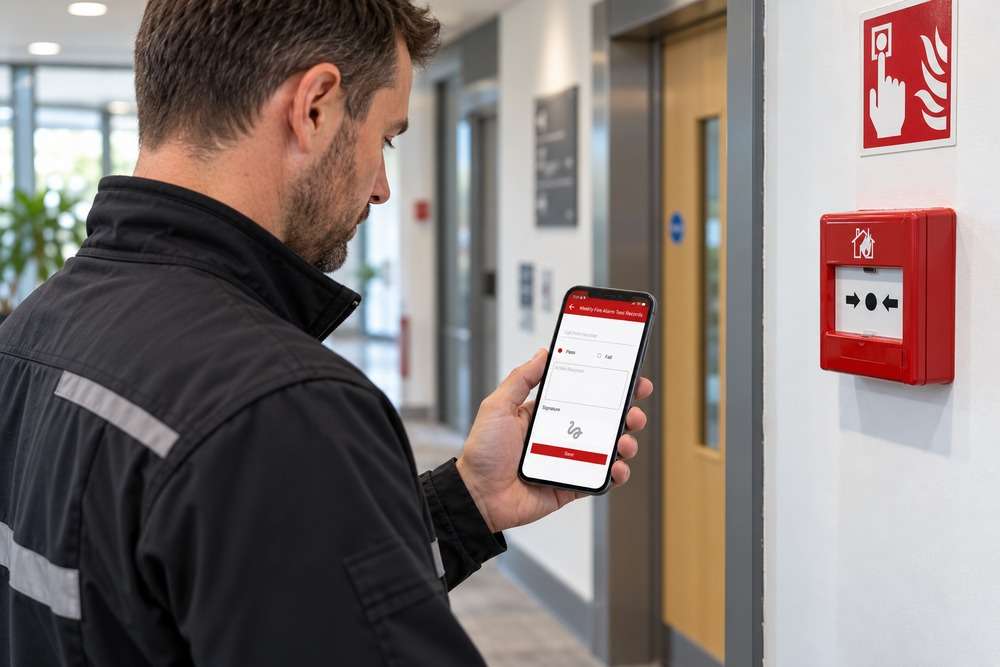
Paper forms can work well for a simple inspection. The difficulty often starts afterwards: photographs are stored elsewhere, handwriting must be interpreted, office staff retype findings and someone must assemble a customer report.
A digital inspection app is not automatically better. The decision depends on how many inspections take place, what evidence is required, whether staff work offline and how completed records become useful reports.
What is the difference?
Paper inspection process
Inspectors record results on printed forms or separate spreadsheets, often with photographs and later office administration. It can be inexpensive to start but labour-intensive to process.
Digital inspection app
A mobile or web application records answers, photographs, signatures and other evidence against a structured inspection, potentially feeding reports and back-office systems.
At-a-glance comparison
| Consideration | Paper inspection process | Digital inspection app |
|---|---|---|
| On-site entry | Paper form and separate evidence | Structured digital form and linked evidence |
| Reporting | Usually assembled after the visit | Can be generated from captured records |
| Offline working | Works without connectivity | Requires an offline-capable design if needed |
| Audit trail | Depends on manual controls | Can record users, versions and changes |
| Setup | Forms and document process | Devices, software, training and support |
Capture each item once
Inspectors should not have to enter a door number, asset identifier or site location several times. A well-designed app links photographs and findings to the correct item when they are captured. However, the form must remain practical for staff wearing gloves, using small screens or working in poor light.
Reporting is often the biggest change
The most useful return may occur in the office rather than on site. If staff currently organise files, rename photographs and rebuild reports manually, structured data can shorten that work. Define report templates, exceptions and sign-off rules before assuming a report can be generated with a single click.
Offline, security and accountability
Some sites have unreliable mobile coverage. Decide what an inspector can complete offline and how conflicts are resolved when data synchronises. Also consider who can edit completed inspections, whether historic versions must be kept and how sensitive photographs and customer information are protected.
Calculate the real cost
Count on-site entry, travel, reporting, corrections and chasing missing evidence. Add software, devices, training, support and any integration costs. A digital system may be worthwhile at sufficient volume, but small teams with simple forms may not need a bespoke build.
A practical business example
Digital Solutions worked with Fire Survey Systems on an inspection and reporting solution. The client had relied on spreadsheets, site photographs and substantial administrative work to prepare certificates. The published case study describes a tailored system designed to bring those tasks together. That is a relevant example of why the full workflow matters more than simply replacing a paper form with a screen.
How to decide
- Keep paper where volume is low, the process is stable and reporting is minimal.
- Consider a digital app where evidence and reports are repeatedly assembled by hand.
- Test actual field conditions, including signal loss and awkward photo capture.
- Measure time from completed visit to approved customer report.
If staff regularly repeat administrative work, our free paperwork cost calculator can help put a value on that effort. It is an estimate based on your figures, not a promise of savings.
Frequently asked questions
Will a digital inspection app work offline?
Only if offline support is included in the design and tested on real devices. It should not be assumed.
Can it generate certificates?
It can produce documents from approved templates and captured data, provided the required checks and sign-offs are included.
Can the app use photographs?
Yes. Photos can be attached to individual assets or questions, with suitable storage and privacy controls.
How do we estimate the saving?
Measure inspection and reporting time over a representative sample and compare it with software and change-management costs.
Discuss the right solution for your business
Digital Solutions develops bespoke business software, mobile apps and integrations for UK organisations. We can help assess the current process, identify what can be achieved with existing software and discuss when custom development could add value. There is no need to prepare a technical specification before getting in touch.