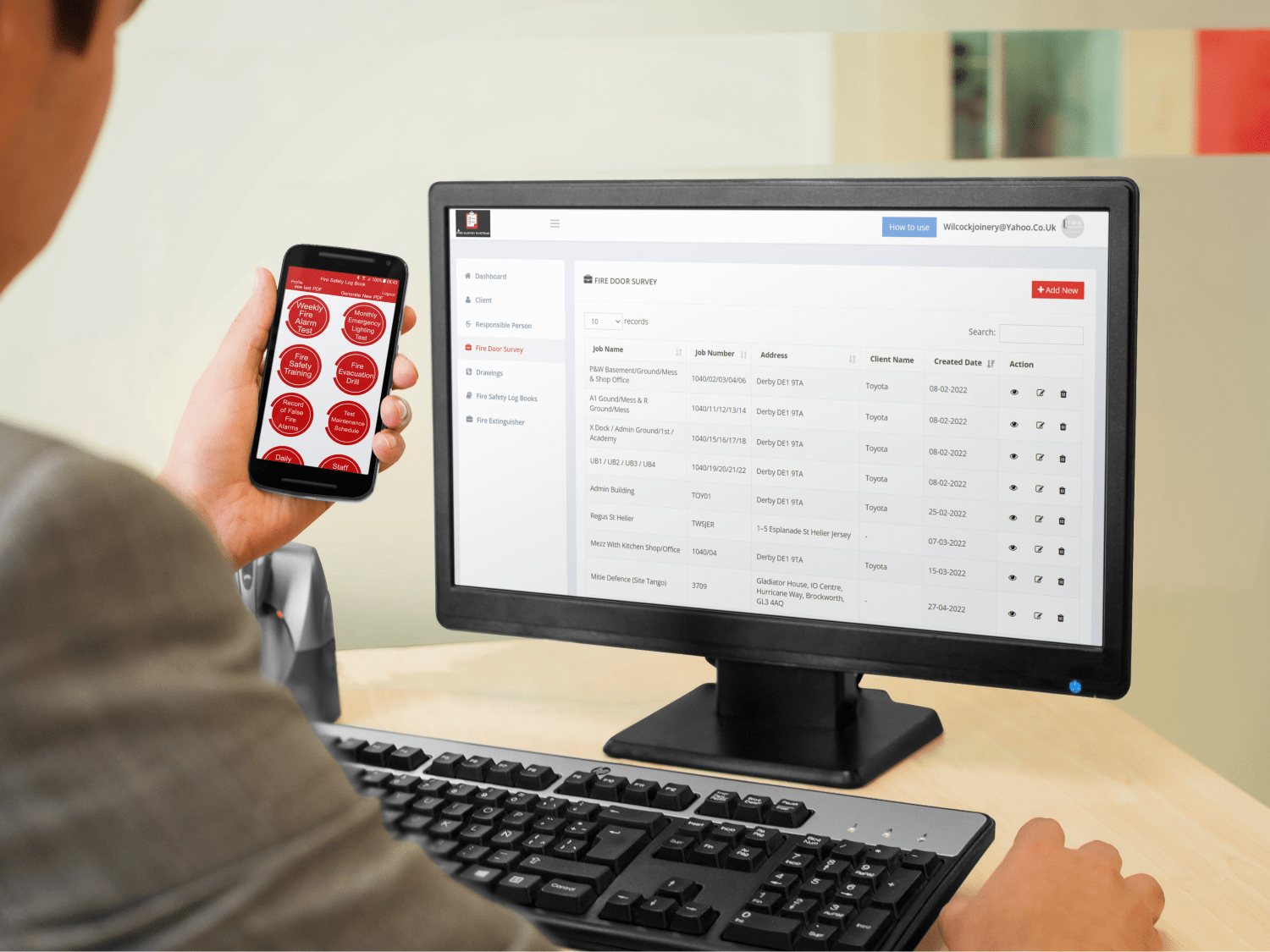
Fire Survey Systems is a mobile survey app and office system we built for Terry, who runs a fire door installation and testing business. It replaced spreadsheets and loose site photos with one connected workflow: engineers record everything on site, reports are produced from that information, and when a job is complete the client signs it off on the app and receives the invoice straight away. Terry now spends around 30 minutes on invoicing.
The problem
Terry’s team used to send him spreadsheets and site photos after each visit. He then spent around two days every week turning that information into client reports and certificates. The more work the business won, the more time disappeared into paperwork.
What we built
We developed a mobile app for engineers on site and a website and office system for managing the records. The app covers:
- Fire door surveys.
- Fire alarm and extinguisher records.
- Emergency lighting records.
- Training information.
- Evacuation drills.
- False alarm records.
- Photos and drawing annotations to show exactly what was found and where.
- Client sign-off on completed work, with the invoice sent automatically.
How it works
- The engineer opens the job on a phone or tablet.
- They complete the survey or record, adding photos and marking locations on drawings.
- Everything is saved to the cloud and available in the office straight away.
- Reports are produced from the information already captured, with no re-typing.
- When the work is finished, the client signs on the app and receives the invoice.
The results
- Report writing that took around two days a week no longer eats into Terry’s time.
- Invoicing takes around 30 minutes.
- Clients get their invoice the moment work is signed off.
- Records, photos and drawings are linked, so evidence is easy to find later.
- Terry has more time to spend growing the business.
Watch Terry explain the difference in his own words: Terry’s case study and video.
Survey or logbook?
A survey records an assessment at a point in time. A logbook keeps an ongoing record of checks, drills and events. The system handles both, with each record type having its own form, owner and required information. Consistent forms make records comparable. They support, rather than replace, the competent judgement of the engineer.
What this means for your business
If your team inspects, tests or surveys on site and then writes reports in the office, the same approach can work for you. Common examples include gas and electrical testing, building surveys, maintenance checks, cleaning audits and health and safety inspections. Capture the information once, on site, and let the system produce the documents.
Similar projects
Force One uses a staff app and office dashboard for vehicle checks, site audits and timesheets. SitePro brings quality control checklists, snagging and progress reports into one construction app. Both follow the same idea: information captured where the work happens and available in the office straight away.
Common questions
Does the app work on phones and tablets?
Yes. Engineers use it on whichever device suits the job.
Can clients sign on the device?
Yes. The client signs on the app when the work is complete, and the invoice is sent straight away.
Could you build something similar for a different type of inspection?
Yes. The forms, reports and workflow are designed around your own process. Bring a real report and we will show you how it could work.
Next step
If your team spends days turning site notes into reports, book a free 15-minute software review. See also paper inspections vs digital inspection apps.