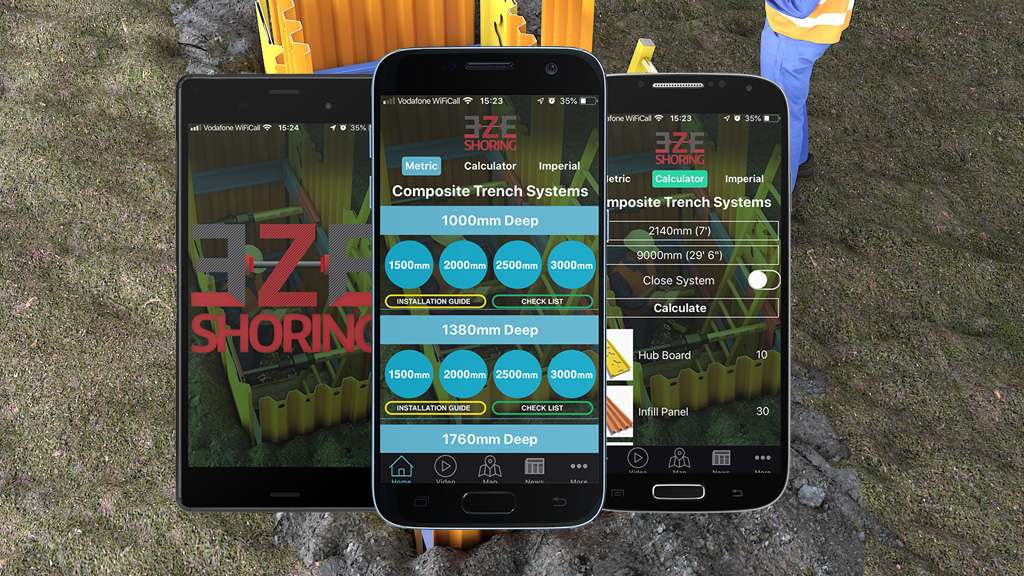
EZE Shoring makes a composite trench lining system made up of several components. The right combination depends on the size of the trench, which is hard to explain with a brochure or a photo. We built the EZE Shoring app so contractors can enter their trench dimensions and get the components they need, with installation drawings, a step-by-step guide and checklists in the same place.
The problem
For a modular product, customers need to work out which parts they need before they can order or install. Without a tool, that means calculations by hand, separate PDFs and calls to the manufacturer. Information was spread between a calculator, documents and instructions.
What the app does
- Component calculator: enter the trench dimensions and see the components required.
- Metric and imperial: users choose the units they work in.
- Installation drawings showing how the components fit together.
- Step-by-step installation guide in the order it is needed on site.
- Checklists to review the required steps.
How we built it
EZE Shoring supplied and approved the calculation rules, limits and assumptions. We turned those rules into software and tested them against real examples with their product specialists. That collaboration is the key to any calculator: the manufacturer owns the engineering knowledge, and the developer makes it reliable and easy to use.
We also defined how units, rounding and conversions work, so the quantities shown are always clear.
Why it works
- Customers get an answer specific to their job, not a generic brochure.
- The planning conversation between customer and manufacturer becomes more specific.
- Installation guidance is with the user on site, in the right order.
- Approved instructions in one place reduce the risk of outdated documents.
A calculator supports, not replaces, engineering decisions
The app helps users plan and install the system correctly, but it does not replace the engineering decisions a project requires. Clear limits and assumptions are shown, so users know when to seek advice.
What this means for your business
If you make products with lots of options or components, such as trailers, staging, racking, windows, garden buildings or machinery, a calculator or configurator can turn your product knowledge into a tool customers use themselves. See building a product configurator.
Similar projects
SitePro and Force One bring site information, checks and forms into apps for construction and excavation teams. Terry’s Fire Survey System turns site inspections into reports and invoices.
Common questions
Should a calculator be an app or a website?
A website suits buyers planning at a desk. An app, like EZE Shoring’s, suits people on site who also need drawings and checklists to hand.
Who provides the calculation rules?
The manufacturer. We turn them into software and test them with your specialists.
Can the app link to ordering?
Yes. A calculated list of components can feed into a quote or order.
Next step
If your customers struggle to work out what they need, book a free 15-minute software review.